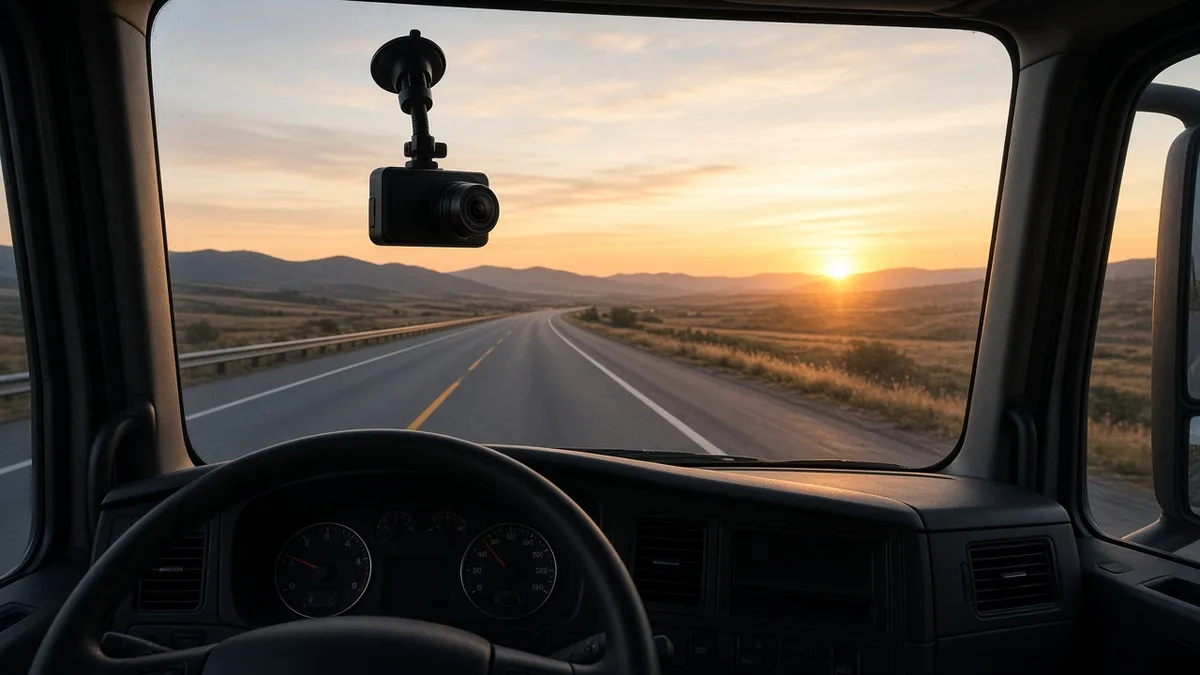
Top 10 Best Dash Cams for Trucks and Fleets (2026)
Rules, prices and device details on this page were checked October 2026 against the official sources listed at the bottom. Where a provider doesn't publish a number, we say so instead of guessing.
A dash cam is the cheapest witness you'll ever hire. When a car cuts in front of you and slams the brakes, video can be the difference between a claim against you and a claim against them. But truck dash cams aren't all the same. Some are fleet systems that upload clips and coach drivers. Others are standalone cams that just record to a memory card. This list covers both, with specs taken from each maker's own pages and spec sheets in October 2026. We haven't run our own lab tests, so we stick to what the makers publish and explain what it means for a truck.
Comparison Table
| Dash cam | Type | Cameras | Road video | Price |
|---|---|---|---|---|
| Motive AI Dashcam Plus (DC-64) | Fleet, connected | Road wide, road zoom, driver | 1080p at 30fps wide, 1440p at 10fps zoom | Quote |
| Samsara CM34 | Fleet, connected | Road and driver | 1080p default, 1440p with Plus license | Quote |
| Lytx DriveCam SF400 | Fleet, connected | Road and driver | 1080p at 20fps | Quote |
| Netradyne Driver i D-450 | Fleet, connected | Road, driver, two side | 1080p at 30fps | Quote |
| Verizon Connect AI Dashcam | Fleet, connected | Road, or road and driver | Not listed in the guide we checked | Quote, needs Verizon Connect software |
| Surfsight AI-12 | Fleet, via resellers like Geotab | Road and cabin | 1080p | Through resellers |
| Garmin dezlCam OTR725 | Standalone truck GPS with cam | Road | 1080p at up to 30fps | $599.99 list |
| Garmin Dash Cam X310 | Standalone | Road | 4K at 30fps | $399.99 list |
| Vantrue N4 Pro | Standalone | Road, cabin, rear | 4K front | Check retailer |
| Rand McNally DashCam 500 | Standalone | Road | 1080p at 30fps | Check retailer |
The 10 Best Truck Dash Cams
1. Motive AI Dashcam Plus
Motive's current dual facing camera, the DC-64, packs three lenses. The road side has a wide 120 degree camera at 1080p and 30fps, plus a 40 degree zoom camera at 1440p and 10fps that's meant to pick out details further ahead. The driver facing camera records at 1080p and 15fps with a 150 degree view. Motive's spec sheet lists up to 160 hours of storage on the dual model, and up to 254 hours on the road facing only DC-63.
Best for: fleets already on Motive ELDs that want camera events in the same app. Watch out for: pricing is quote only, and Motive's terms renew for 12 months unless you give 30 days' notice. Read the contract carefully.
2. Samsara CM34 Dual-Facing AI Dash Cam
The CM34 records the road and the driver. Samsara's help center says both the CM33 (road only) and CM34 record 1080p by default, and a Dash Cam Plus license lets you record at 2K, which is 1440p, or keep more footage. Without Plus, the CM34 keeps about 33 hours of high resolution video by default, and lowering quality stretches that out.
Best for: mid size and larger fleets that want a single platform for ELD, GPS and video. Watch out for: Samsara sells on multi year terms, and its small business FAQ says fleets under 11 vehicles pay 3 years up front.
3. Lytx DriveCam SF400
Lytx has been doing video safety longer than most of the ELD companies. The SF400 is its dual facing event recorder, with 1080p video at 20fps, AI risk detection, in cab alerts and a cellular connection that uploads events. The real product is the coaching program around it, which we cover in our Lytx DriveCam review.
Best for: fleets serious about a coaching program. Watch out for: pricing is quote only.
4. Netradyne Driver i D-450
The D-450 stands out because it can see more than the windshield. Netradyne's spec sheet lists a 1080p road camera at 30fps with HDR, a 1080p driver camera with infrared night vision, and two 720p side cameras. That side coverage helps with lane change and sideswipe claims, which are a big deal for long trailers.
Best for: fleets that want wider coverage around the cab. Watch out for: it's a fleet platform, so expect a contract and a quote.
5. Verizon Connect AI Dashcam
Verizon Connect offers road facing and dual facing AI dashcams. Its install guide says footage is stored locally on an SD card, with a 64GB card included, and an optional 256GB card holds up to about 170 hours of road facing or 115 hours of dual facing video. Triggered clips upload to the Reveal platform, which keeps cloud video for 90 days.
Best for: fleets already using Verizon Connect for tracking. Watch out for: the cameras work with Verizon Connect's software, so they aren't a standalone buy.
6. Surfsight AI-12
Surfsight is the reseller line from Lytx. The AI-12 has a 1080p road camera with a 118 degree view and a 720p infrared cabin camera with a 113 degree view, plus global cellular. It's sold through partners including Geotab, which lets fleets see video events inside MyGeotab.
Best for: Geotab fleets that want video without changing platforms. Watch out for: price and terms depend on the reseller.
7. Garmin dezlCam OTR725
This is a 7 inch truck GPS with a dash cam built in, which saves windshield space. Garmin lists 1080p video at up to 30fps with a 140 degree view, incident detection and GPS stamps, plus truck routing and driver alerts. The list price is $599.99 and it includes a 16GB microSD card.
Best for: owner operators who want one device for navigation and video. Watch out for: it's road facing only, and you'll want a bigger card for long runs.
8. Garmin Dash Cam X310
If you want sharp video and nothing else, the X310 records 4K at 30fps with a 140 degree view, GPS, voice control and incident detection. Garmin's list price is $399.99, and you need a microSD card from 8 to 512GB.
Best for: owner operators who want the clearest standalone road video. Watch out for: no cabin camera and no fleet portal.
9. Vantrue N4 Pro
The N4 Pro covers three angles from one unit: a 4K front camera, a 1080p cabin camera and a 1080p rear camera. It has GPS, Wi-Fi and supports cards up to 512GB. Parking mode needs a separate hardwire kit. The rear camera is designed for cars, so on a tractor it's most useful for watching the cab or a sleeper rather than behind a trailer.
Best for: drivers who want cabin video for their own protection without a fleet subscription. Watch out for: it's a consumer cam, so plan the install carefully in a big cab.
10. Rand McNally DashCam 500
Rand McNally knows trucking. The DashCam 500 records 1080p at 30fps, has a 3 inch screen, comes with a 16GB card, and saves incidents automatically using its G sensor. It syncs with a phone app over Wi-Fi.
Best for: drivers who want a simple, proven truck cam. Watch out for: it's an older design, so check current retail pricing against newer options.
Standalone vs Fleet Connected Cams
This is the first decision to make, and it's mostly about who's going to watch the video.
Standalone cams
A standalone cam records to a memory card in the truck. You buy it once, there's no monthly fee, and nobody sees the footage unless you pull the card. That's great for owner operators who want protection after a crash. The trade off is that if the card fills, gets damaged or goes missing in a wreck, the video's gone. Some standalone cams sync to a phone app, but that's not the same as automatic uploads.
Fleet connected cams
A connected cam has its own cellular link. When it detects a hard brake, a crash or risky behavior, it uploads a clip so a safety manager can review it, often within minutes. Most use AI to flag things like phone use, following too close or rolling stops. They link to the same platform as your ELD and GPS, so you see everything in one place. The cost is a monthly subscription, usually a contract, and some drivers aren't thrilled with a camera pointed at them.
Which one fits?
| You are | Consider |
|---|---|
| An owner operator who wants crash evidence | Standalone, such as the Garmin X310 or dezlCam |
| An owner operator under a carrier's program | Whatever the carrier requires, plus a personal cam if allowed |
| A small fleet that wants video with the ELD | Your ELD provider's camera, so it's one app and one bill |
| A larger fleet with a safety team | Connected AI cams with coaching workflows |
If you're also shopping for an ELD, our list of the best ELDs with dash cams compares bundles.
Installation Tips
- Keep it out of your sight line. Mount high and centered, behind the mirror if you can. Check your state's windshield mounting rules, since they vary.
- Hardwire if you can. A plug in power cord works, but it can come loose. Hardwiring keeps the cam on and frees the outlet. If you're not comfortable with wiring, have a shop do it.
- Level the road camera. Most fleet cams need the horizon level for their AI features. Follow the maker's calibration steps.
- Pick a high endurance card. Normal cards wear out under constant recording. Use the type the maker recommends, and replace it on a schedule.
- Clean the glass. A dirty windshield ruins video. Add it to your pre trip.
- Tell drivers what's recorded. For inward cams, be clear about when the camera records, who sees footage and how it's used. It heads off a lot of pushback.
Legal and Privacy Considerations
Dash cams are legal to use in trucks across the US, but a few rules and good habits apply.
Windshield mounting
States set their own rules on what can be mounted on a windshield and where. Many limit devices to small areas near the corners or behind the mirror. Federal rules also limit what can sit in a CMV's windshield. Mount high and out of your line of sight, and check the rules in the states you run.
Audio recording
Video of the road is one thing. Recording conversations inside the cab is another. Some states require everyone in a conversation to agree before it's recorded. If your camera records audio, think about whether you need it, and tell drivers and riders when it's on. Many fleet cameras let the company turn audio off.
Driver facing cameras
Cameras pointed at the driver are the most sensitive part of any program. Before you install them, write a clear policy that says when video is reviewed, who can see it, how long it's kept and how it's used in coaching or discipline. Share it with drivers before the first camera goes in. Programs that start with a clear policy tend to get far less pushback.
Keeping footage safe
After a crash, footage can become evidence. Don't delete or edit it. Save the original file, note who handled it, and talk to your insurer or attorney about what to keep. Fleet connected cameras make this easier because events upload to the cloud automatically, but standalone cams need you to pull the memory card and back it up.
Memory cards
Standalone cams loop record, which means they write over old footage when the card is full. Use the card type and size the maker recommends, format it now and then, and replace it when it starts to fail. A dead card is the most common reason a dash cam has nothing to show after an incident.
Insurance Benefits
Insurers like dash cams for a simple reason: video settles arguments. The clearest benefit is in disputed claims. When video shows the other driver caused a crash, it can help clear you and protect your record. Some insurers also offer program discounts or better terms for fleets with active camera and coaching programs, but that varies by company and state, so ask your agent directly rather than counting on it.
A few practical points to bring up with your insurer:
- Ask if they want access to footage after a claim, and how you'll share it.
- Ask whether a connected, AI based program counts differently than a standalone cam.
- Keep a written video retention policy, so you're not accused of keeping only the clips that help you.
Ready to price a bundle? Compare camera and ELD packages with our free ELD quotes, or read up on GPS tracking for fleets.
Frequently Asked Questions
What is the best dash cam for a semi truck?
It depends on who will use the footage. Owner operators often do well with a standalone cam such as the Garmin Dash Cam X310 or dezlCam OTR725. Fleets with a safety team usually get more from connected AI cams like Motive, Samsara, Lytx or Netradyne.
Do truck dash cams lower insurance?
They can help, mostly by settling disputed claims faster. Some insurers offer discounts or better terms for fleets with camera programs, but it depends on the insurer, so ask your agent.
Are inward facing cameras legal?
Federal rules do not ban them, but some states have rules about recording and consent. Check your state and have a written policy that drivers sign.
How long do dash cams keep video?
Standalone cams loop record over the oldest footage once the card is full. Fleet cams store hours on the device and upload event clips to the cloud. For example, Verizon Connect keeps cloud video for 90 days.
Sources
All prices, terms and registration details were checked October 2026 on the pages below. Providers change pricing often, so confirm before you buy.
- Motive Dual-Facing AI Dashcam Plus spec sheet
- Motive Road-Facing AI Dashcam Plus spec sheet
- Motive Terms of Service
- Samsara Vehicle Camera Storage Capacity
- Samsara CM34 Dual-Facing AI Dash Cam
- Samsara for Small Business FAQ
- Lytx SF400 spec sheet
- Netradyne Driver i D-450 tech specifications
- Verizon Connect: Dual-Facing AI Dashcam installation guide
- Verizon Connect AI dashcams
- Surfsight AI-12 dashcam specifications
- Geotab Marketplace: Surfsight
- Garmin dezlCam OTR725
- Garmin Dash Cam X310
- Vantrue N4 Pro
- Rand McNally DashCam 500 support