BYOD ELD: Using Your Own Phone or Tablet as an ELD
Rules, prices and device details on this page were checked October 2026 against the official sources listed at the bottom. Where a provider doesn't publish a number, we say so instead of guessing.
BYOD stands for bring your own device. In ELD terms, it means the logbook app runs on a phone or tablet you already own, paired with a small device plugged into the truck. It's how most small fleets and owner operators run ELDs today, and it can save a lot of money. But it also puts your personal phone at the center of your compliance, and that comes with some trade offs. Here's how it works, with the rules checked October 2026.
How BYOD ELDs Work
A BYOD ELD has two parts:
- The vehicle device. A small unit that plugs into the truck's diagnostic port. It reads engine data like engine on and off, vehicle motion, miles and engine hours, which the ELD rule requires.
- The app. Installed on your phone or tablet. It connects to the vehicle device, usually by Bluetooth, and that's where you log in, change status, see your clocks, do inspections and send logs to officers.
Together, the two make up the registered ELD. Some systems store logs on the phone. Garmin eLog, for example, keeps records on your phone. Others sync constantly to the cloud, like Geotab's Cloud ELD, where the GO device sends data to MyGeotab and the Drive app syncs with it.
The alternative is a dedicated, provider supplied display or tablet that stays in the truck. Some providers offer both, letting you choose BYOD to save money or a rugged tablet for durability.
FMCSA Requirements
There's no special BYOD rulebook. A phone based ELD has to meet the same technical standards as any other ELD, and the system has to be on FMCSA's registered list. A few rules matter most for phones and tablets:
The mounting rule
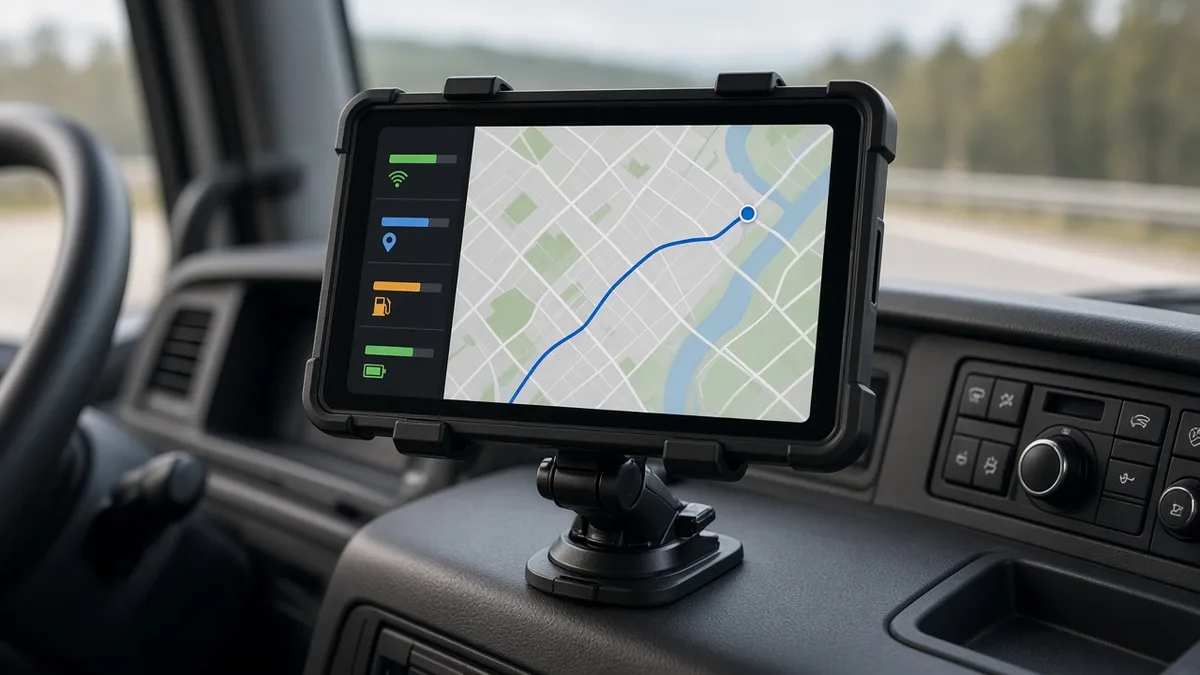
Under 49 CFR 395.22(g), if a driver uses a portable ELD, the motor carrier has to make sure it's mounted in a fixed position while the truck is moving and visible to the driver from the normal seated driving position. A phone in your pocket or sliding around the dash doesn't meet this. You need a real mount.
The in cab packet
Under 395.22(h), every truck needs an ELD information packet on board: a user manual, instructions for transferring data to an officer, instructions for handling malfunctions, and enough blank paper logs for at least 8 days. That applies no matter whose phone runs the app.
Roadside transfer
The ELD has to be able to send logs to an officer. Most apps do this by web services or email over your phone's data connection, and some also support USB or Bluetooth. If your phone has no data at an inspection, know your backup method.
Distracted driving
FMCSA has separate rules on hand held phone use for CMV drivers. Don't touch the ELD app while driving except as your carrier and the rules allow. Most apps lock the screen in drive mode for this reason.
Best BYOD ELD Providers
Here are BYOD friendly ELDs with details we could verify on the provider's own pages in October 2026.
| Provider | Published price | BYOD notes |
|---|---|---|
| HOS247 | $19 to $25 per vehicle per month; device free with annual pay, otherwise $79 | Runs on Android or iOS phones and tablets with LTE or 5G |
| Garmin eLog | $249.99 one time, no subscription | Free app; logs stored on your phone |
| Geotab Drive | Through resellers; HOS is in the GO Plan | Supports off the shelf Android and iOS devices with a data plan and location services |
| Matrack | $19.95 or $24.95 per truck per month | App based; check device list |
| BIT ELD | $40 a month or $400 a year | App based; check device list |
Motive and Samsara apps also run on phones and tablets, though both quote prices rather than publishing them. For a wider comparison, see our list of the best ELD apps, and if you'd rather avoid a subscription altogether, our no monthly fee ELD guide.
Mounting and Power Rules
This is where BYOD setups usually fail, so it's worth getting right on day one.
Choosing a mount
- Pick a mount that holds the phone firmly over bumps. Clamp style mounts with a locking arm tend to stay put better than cheap magnetic ones.
- Place it where you can see it without looking away from the road for long, but where it doesn't block your view through the windshield. Check your state's windshield mounting rules.
- Make sure you can reach it when parked. You'll use it for inspections and status changes.
Keeping it powered
- ELD apps run all day with Bluetooth and GPS on. That drains batteries fast. Keep the phone plugged in while driving.
- Use a good charger and cable. A weak charger can lose ground against a phone running navigation, music and the ELD at once.
- Heat is a battery killer. A phone in direct sun on the dash can overheat and shut down. Shade it if you can.
Settings that matter
- Turn off battery saving modes for the ELD app. Some phones pause background apps to save power, which can break the connection.
- Keep Bluetooth and location services on at all times.
- Update the app regularly, but not right before a trip. Updates sometimes need a fresh login or pairing.
Pros and Cons
Pros
- Lower cost. No need to buy a tablet for every truck.
- Familiar device. Drivers already know their phones.
- Easy upgrades. A new phone means a better ELD screen, and the app updates over the air.
- Flexibility. Drivers can switch trucks and bring their logbook with them.
Cons
- One device for everything. If the phone dies, breaks or gets lost, the ELD display goes with it. That can turn into an ELD malfunction.
- Privacy concerns. Drivers may not want company apps on their personal phones. Be clear about what the app can and can't see.
- Compatibility. Older phones may not be supported. Each app has a list of minimum operating system versions.
- Data costs. The app uses data. Decide who pays for it, especially in fleets.
- Mixed fleets. When every driver has a different phone, support gets harder.
Our take
For owner operators and small fleets, BYOD is usually the smart choice. It's cheaper and it works. For larger fleets, a provider supplied tablet or a dedicated phone in each truck can save headaches, because everyone has the same setup and drivers don't mix work and personal devices. Whichever way you go, budget for a solid mount and a charger in every truck.
Ready to compare BYOD options? Get free ELD quotes for your fleet.
Frequently Asked Questions
Is a BYOD ELD legal?
Yes, as long as the system is on the FMCSA registered list and the phone or tablet is mounted in a fixed position, visible from the normal driving position, as required by 49 CFR 395.22(g).
Can I use an old phone as an ELD?
Only if it meets the app's minimum requirements. Check the provider's supported devices list, since old operating systems often are not supported.
What happens if my phone dies?
Your ELD display is out. Charge it and log back in. If you cannot restore it, treat it as a malfunction: note it, tell your carrier within 24 hours and switch to paper logs.
Who pays for the data plan on a BYOD ELD?
That is up to the carrier and driver. Settle it in writing so there are no surprises.
Sources
All prices, terms and registration details were checked October 2026 on the pages below. Providers change pricing often, so confirm before you buy.