ELD Roadside Inspection: How to Transfer Logs to an Officer
Rules, prices and device details on this page were checked October 2026 against the official sources listed at the bottom. Where a provider doesn't publish a number, we say so instead of guessing.
Roadside inspections go smoothly when the driver knows the transfer routine cold. Fumble it and a five minute check turns into a half hour of frustration, or a violation for failing to produce your records. The good news is that the process is the same on every registered ELD, because FMCSA wrote it into the technical rules. Here's how it works, step by step, and what you need to keep in the truck. Everything below was checked October 2026 against 49 CFR Part 395 and its Appendix A.
Inspection Steps
Here's what a typical log check looks like from the driver's seat:
- The officer asks for your logs. Under 395.24(d), you must be able to produce and transfer your hours of service records from the ELD when an authorized safety official asks.
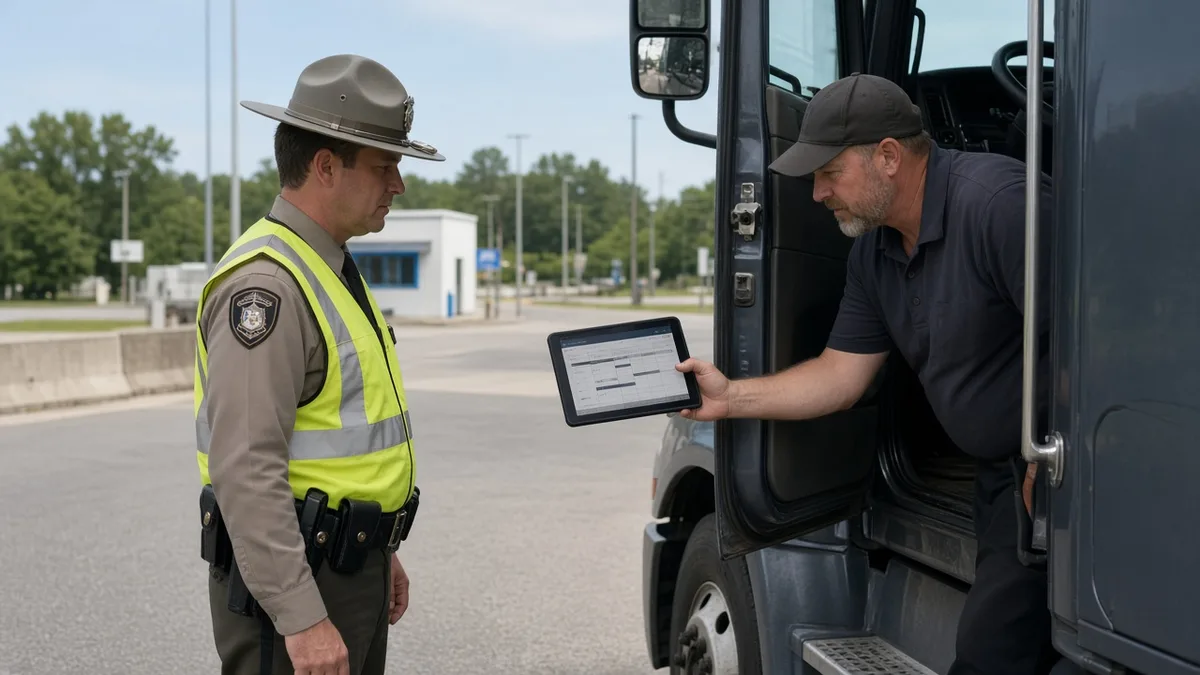
- Show the screen or a printout first. Appendix A section 4.9.1(c) requires every ELD to show the current 24 hour period plus the previous 7 consecutive days on a display or a printout. Many officers start by looking at the screen. If your ELD is a phone app, hand over the phone or turn the screen toward the officer. You don't have to give up the device if you'd rather not, but the screen has to be readable.
- The officer gives you a routing code. For an electronic transfer, the officer usually gives you an output file comment (a short code) so their system can find your file.
- Open the inspection or transfer menu. Every registered ELD has a single step function for sending your records, per section 4.3.2.4 of Appendix A. Look for "Roadside Inspection," "DOT Inspection" or "Send Logs."
- Pick the method the officer asks for. The officer chooses which method to use from the ones your ELD is certified for. Enter the code in the comment field and send.
- Confirm it went through. Most apps show a success message. Tell the officer when you see it, and wait while they review the file.
That's it. If you practice once in the yard, you'll never panic at the scale.
Web Services vs Email Transfer
If your ELD uses the telematics option, it has to support two transfer methods, and the officer picks one.
- Wireless web services. Your ELD sends the file straight to FMCSA's system over the internet. The officer pulls it up on their end using the code they gave you. This is the method most officers use because it's quick and the file lands right where they need it.
- Email. The ELD emails an encrypted file to an FMCSA address, again tagged with the officer's code. It's the backup when web services aren't cooperating.
Both need a data connection. If you're in a dead zone, tell the officer. They can review your logs on the screen or a printout, which every ELD has to support.
Telematics vs Local Transfer
Appendix A section 4.9.1(b) gives manufacturers two options, and each ELD must support at least one of them in full:
| Option | Methods it must support | Needs internet? |
|---|---|---|
| Option 1: Telematics | Wireless web services and email | Yes |
| Option 2: Local | USB2 and Bluetooth | No, but the officer needs compatible equipment |
Almost every phone and tablet ELD on the market today uses the telematics option. Local transfer by USB or Bluetooth is rarer, and in practice many officers aren't set up for it. Before you buy, check which option your ELD is certified for on the FMCSA registered ELD list. Each listing shows the supported data transfer methods.
An ELD that only supports local transfer isn't illegal, but it can make inspections slower. If you run in areas with poor cell coverage, ask the vendor how its device behaves when the officer requests a web services transfer and there's no signal.
What to Keep in the Cab
Under 395.22(h), the motor carrier has to make sure every driver has an ELD information packet on board. There are three parts, and missing any of them is a common violation.
Instruction Sheet
A sheet that explains the data transfer methods your ELD supports, with step by step instructions for producing and transferring your records to an officer. Most vendors give you a printable PDF. Many drivers keep it in a sheet protector clipped to the visor. A digital copy in the app is fine too, as long as you can show it.
Malfunction Sheet
A second instruction sheet covering what to do if the ELD malfunctions: the reporting requirements and how to keep records while it's down. In short, you notify the carrier in writing within 24 hours and reconstruct your logs on paper, and the carrier has 8 days to fix or replace the device. Our ELD malfunction guide walks through the full process.
Blank Paper Logs
Enough blank graph grid paper logs to record your duty status for at least 8 days. You'll need them if the ELD fails. Check your supply every month. A packet with only two or three blank sheets left is a violation waiting to happen.
Practice Before You Need It
Most transfer problems come from drivers who've never actually done it. Spend ten minutes in the yard:
- Find the inspection menu in your app without looking at the instructions.
- Open your 8 day view and make sure every day is certified.
- Do a test send if your vendor offers one. Many have a practice mode.
- Check your phone or tablet's data plan and battery. A dead tablet at the scale is a bad day.
- Confirm the device is mounted. Under 395.22(g), a portable ELD has to be mounted in a fixed position and visible from the driver's seat while driving.
Common Transfer Problems and Fixes
- "Transfer failed." Check the data connection and try again. If web services fails, offer email. If both fail, show the screen and the printout.
- Uncertified days. Certify each day at the end of your shift. Uncertified logs raise questions even when the hours are fine.
- Unassigned driving events. Accept or reject them before you roll. Unresolved unassigned time looks bad at roadside.
- Wrong carrier info. If you drive for more than one carrier, make sure the right one is selected. The file shows the USDOT number.
- App logged out. Some apps log you out after updates. Log in before your shift so the officer sees today's records.
- Malfunction indicator showing. If the ELD shows an active malfunction, say so up front and show your paper logs and the malfunction sheet.
What the Officer Is Looking For
Once the file lands, the officer is checking a handful of things. Knowing what they are helps you keep clean logs every day:
- Driving and on duty time against the 11 hour, 14 hour and 60 or 70 hour limits, plus the 30 minute break.
- Whether your current duty status matches what's happening at roadside.
- Unassigned driving and edits, including who made them and why.
- Use of special categories like personal conveyance and yard moves, and whether they look legitimate.
- Malfunction and data diagnostic events.
- Your in cab packet.
If something looks off, explain calmly. Annotations you added at the time carry a lot of weight. A note like "waited at shipper for loading" or "PC to nearest truck stop, shipper lot full" answers questions before they're asked.
After the Inspection
If you get a clean inspection, keep the report. Clean inspections help your carrier's safety record. If you get a violation, send the report to your carrier right away, so the safety team can review it and decide whether to challenge it through FMCSA's DataQs system. For a broader look at the rules your logs have to follow, see our ELD mandate guide and our hours of service guide.
Frequently Asked Questions
Do I have to hand my phone to the officer?
No rule requires you to hand over the device. You must show your records on the display or a printout and transfer the file if asked. Many drivers turn the screen toward the officer instead.
What if my ELD cannot transfer data at roadside?
Show the logs on the screen or a printout. If the ELD has malfunctioned, show your paper logs and the malfunction instruction sheet, and notify your carrier in writing within 24 hours.
How many days of logs do I need to show?
The current 24 hour period and the previous 7 consecutive days.
Do I still need paper logs if I have an ELD?
Yes, as blanks. You must carry enough blank paper logs to record at least 8 days in case the ELD fails.
Which transfer method is best?
The officer chooses. Telematics ELDs support web services and email, and most officers use web services.
Sources
All prices, terms and registration details were checked October 2026 on the pages below. Providers change pricing often, so confirm before you buy.