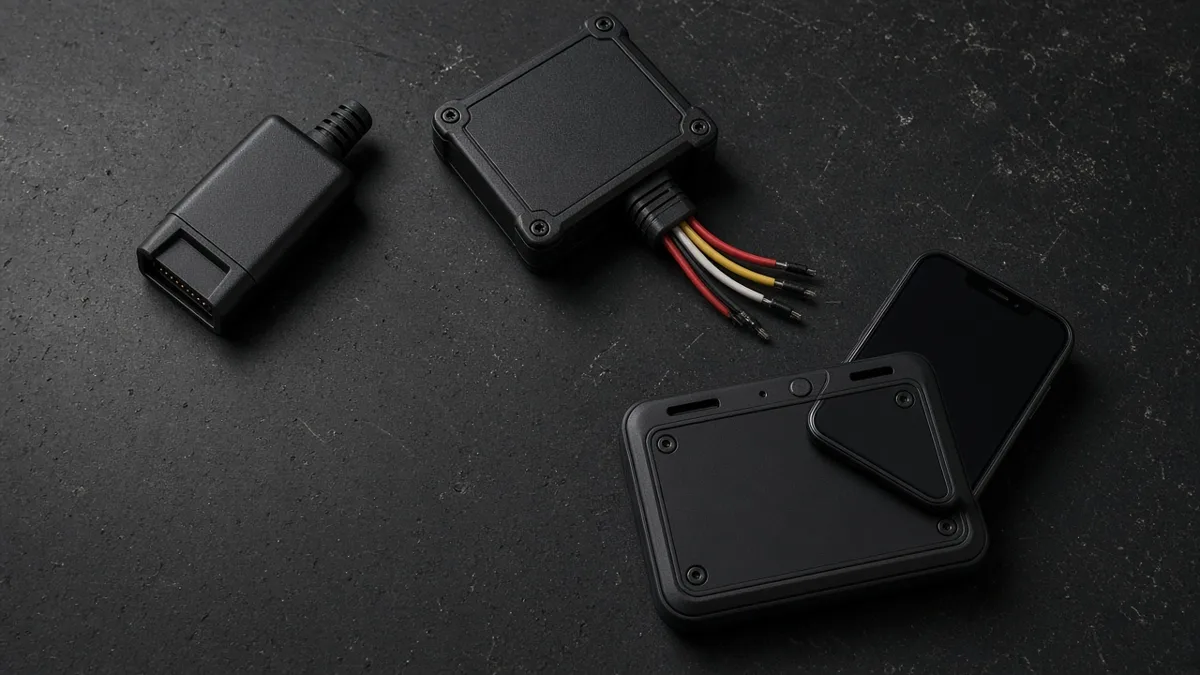
ELD Hardware Types: Plug In vs Hardwired vs Portable
Rules, prices and device details on this page were checked October 2026 against the official sources listed at the bottom. Where a provider doesn't publish a number, we say so instead of guessing.
Every ELD has the same job: record driving time automatically from engine data. But the hardware that does it comes in a few different forms. Some plug into the diagnostic port in seconds. Some are wired into the truck by a technician. Some are small enough to move from truck to truck. Picking the right type saves you install headaches and money, so here's how they compare.
What the Hardware Does
FMCSA's ELD rule requires the device to be integrally synchronized with the engine. In plain terms, it has to read data such as engine power status, vehicle motion, miles and engine hours from the truck itself. That's why a phone app alone can't be an ELD. The app needs a piece of hardware connected to the engine to supply that data. The full technical requirements are in Part 395, Subpart B, and its appendix.
Most systems split the job in two. A small engine module connects to the truck and collects data. A display, usually the driver's phone or a tablet running the ELD app, shows the logs and lets the driver change duty status. Some all in one units combine both.
Plug In
Plug in devices are the most common type for small fleets and owner operators. The module plugs straight into the truck's diagnostic port, or into a cable that connects to it. Installation usually takes a few minutes and doesn't need tools.
Pros:
- Fast, simple installation you can do yourself.
- Easy to move if you change trucks.
- Usually the cheapest hardware option.
Cons:
- The device can be knocked loose by a driver's knee or during maintenance.
- It may take up the port a mechanic needs, unless you use a splitter cable.
- It's easier to unplug, so some fleets worry about tampering. Most ELDs record a malfunction or diagnostic event when power or the connection drops.
Plug ins come in different connector styles depending on the truck. Heavy trucks commonly use a round 9 pin diagnostic port, many older ones use a 6 pin port, and some newer trucks and most medium duty trucks use a 16 pin OBD style port. Our ELD cables guide covers which one you need.
Hardwired
A hardwired ELD is connected directly to the truck's wiring and power, often behind the dash. Large fleets favor this type because it's harder to disconnect and leaves the diagnostic port free.
Pros:
- Secure and tamper resistant.
- Diagnostic port stays open for maintenance tools.
- Often paired with extras such as cameras or sensors that need steady power.
Cons:
- Professional installation adds cost and downtime.
- Harder to move if you sell or swap trucks.
- Removal at the end of a contract may need another technician visit.
Portable
Portable setups are plug in devices built to move between vehicles. They suit carriers that rent trucks, run a pool of spare tractors or have drivers who switch trucks often. You unplug the module, carry it to the next truck and plug it in. The driver's app links to the new truck.
Portable is also handy for temporary situations such as a rental that runs past the 8 day rental exemption. Just make sure you have the right cable for each truck, and that each truck is set up as a vehicle in your ELD account so the logs are tied to the right unit number.
Display Options
The other half of the setup is the screen. You have three main choices:
- Bring your own device. The driver uses their own phone or tablet. It's the cheapest option, but you depend on the driver's device working. See our BYOD ELD guide.
- Fleet supplied tablet. The carrier provides and manages a tablet in a mount. It costs more but gives you control.
- Built in display. Some ELDs have their own screen, so no phone is needed.
Whichever you choose, the driver must be able to show logs to an inspector on the screen or transfer them electronically, so the display must be reliable and easy to reach.
Connectors
Before ordering hardware, look under the dash and find your diagnostic port. Note the shape and number of pins and the truck's make and model year. Mixed fleets often need more than one cable type. Many vendors will help you identify the right one if you send them a photo of the port.
Costs
Hardware cost varies a lot by vendor and type:
| Type | Typical cost structure |
|---|---|
| Plug in | Low or no upfront cost; often bundled with a monthly plan. Some, like the Garmin eLog, are a one time purchase. |
| Hardwired | Device cost plus professional installation; often tied to a fleet contract. |
| Portable | Similar to plug in, plus extra cables for each truck type. |
| Fleet tablet | Tablet, mount and data plan per truck. |
As a reference point, the Garmin eLog is listed at $249.99 with no monthly fee for basic logging, and one Geotab reseller lists the GO device at $85 plus a $15 to $29 harness. Our ELD cost guide covers subscriptions in detail.
Which Should You Choose?
For most owner operators and small fleets, a plug in device is the right call. It's cheap, quick and easy to move. Larger fleets that want security and add on hardware often pick hardwired units. If you rent trucks or move drivers around a lot, go portable. Whatever you choose, confirm the device is on the FMCSA registered ELD list. For a look at how ELD data feeds into wider fleet systems, see our telematics guide, and compare full systems in our best ELD devices roundup.
Rules and data checked October 2026.
Frequently Asked Questions
What are the main types of ELD hardware?
Plug in devices that connect to the diagnostic port, hardwired units installed into the truck wiring, and portable plug in setups that move between trucks.
Can a phone app be an ELD by itself?
No. The ELD must be synchronized with the engine, so the app needs hardware connected to the truck.
Which ELD type is easiest to install?
Plug in devices. Most install in minutes without tools.
Do I need a different cable for each truck?
Possibly. Trucks use different diagnostic ports depending on make and year, so mixed fleets may need several cable types.
Sources
All prices, terms and registration details were checked October 2026 on the pages below. Providers change pricing often, so confirm before you buy.